> ## Documentation Index
> Fetch the complete documentation index at: https://old-docs.you.com/llms.txt
> Use this file to discover all available pages before exploring further.
# Create Custom Agents
> Learn how to create custom agents
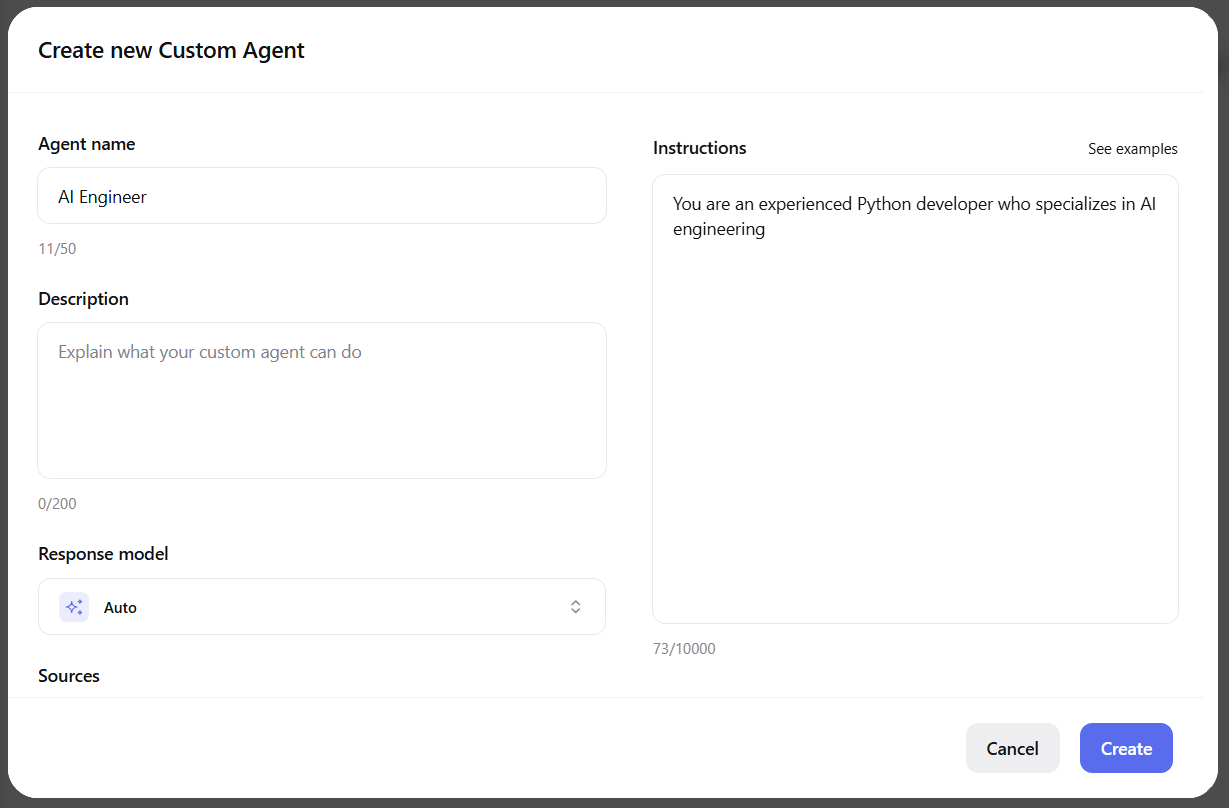
Custom agents can be created only via the UI. Visit [you.com/agents](https://you.com/agent) and create a new custom agent with your personalized parameters:
 Choose whether to enable the tools or not:
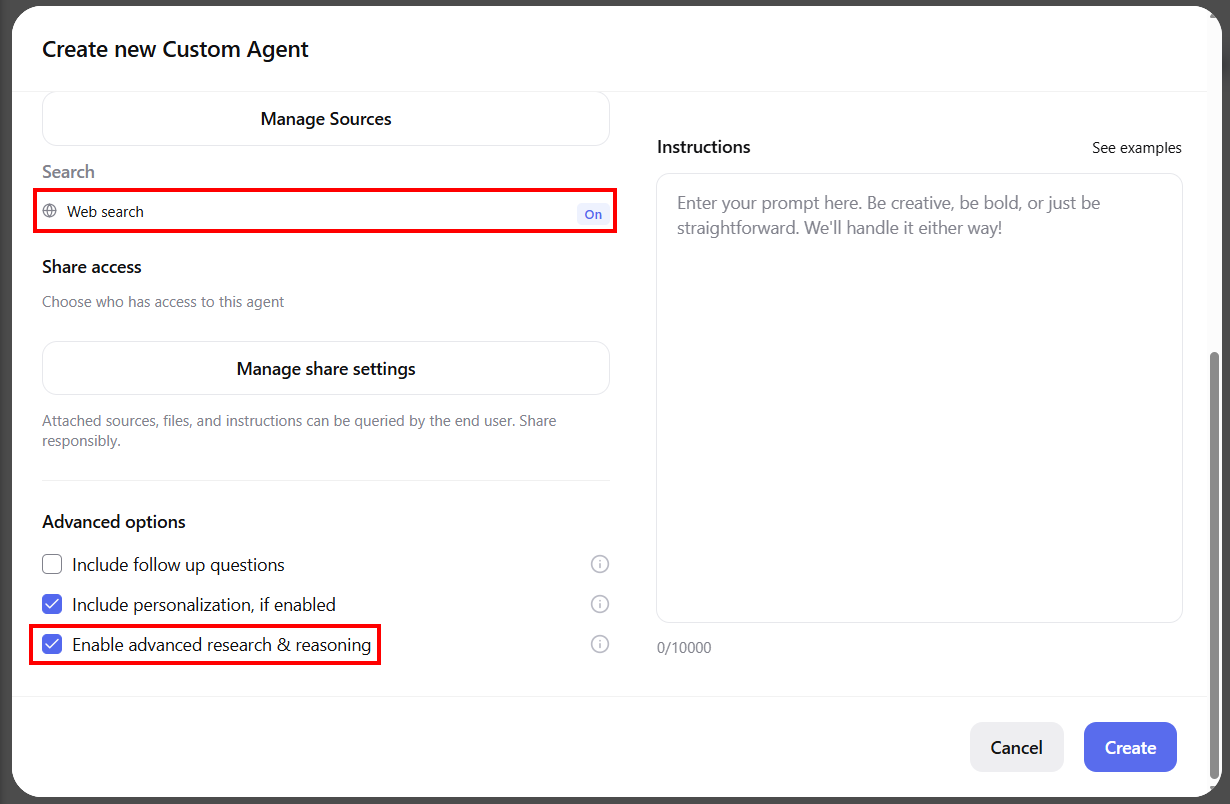 **WARNING**: The [Custom Agent API](/api-reference/custom-agent) currently does not support custom agents that use a foundational model with advanced research and reasoning enabled.
**NOTE**: You can manage the tools only in the UI by enabling or disabling them. They can not be managed via the API.
See [Web Search Tool](/tools/web-search-tool), [Research Tool](/tools/research-tool), and [Compute Tool](/tools/compute-tool) to learn more about tools.
When you create new agents, the platform automatically populates the **Agents** section with all of the agents you've created. This is where you can retrieve each agent's ID:
**WARNING**: The [Custom Agent API](/api-reference/custom-agent) currently does not support custom agents that use a foundational model with advanced research and reasoning enabled.
**NOTE**: You can manage the tools only in the UI by enabling or disabling them. They can not be managed via the API.
See [Web Search Tool](/tools/web-search-tool), [Research Tool](/tools/research-tool), and [Compute Tool](/tools/compute-tool) to learn more about tools.
When you create new agents, the platform automatically populates the **Agents** section with all of the agents you've created. This is where you can retrieve each agent's ID:
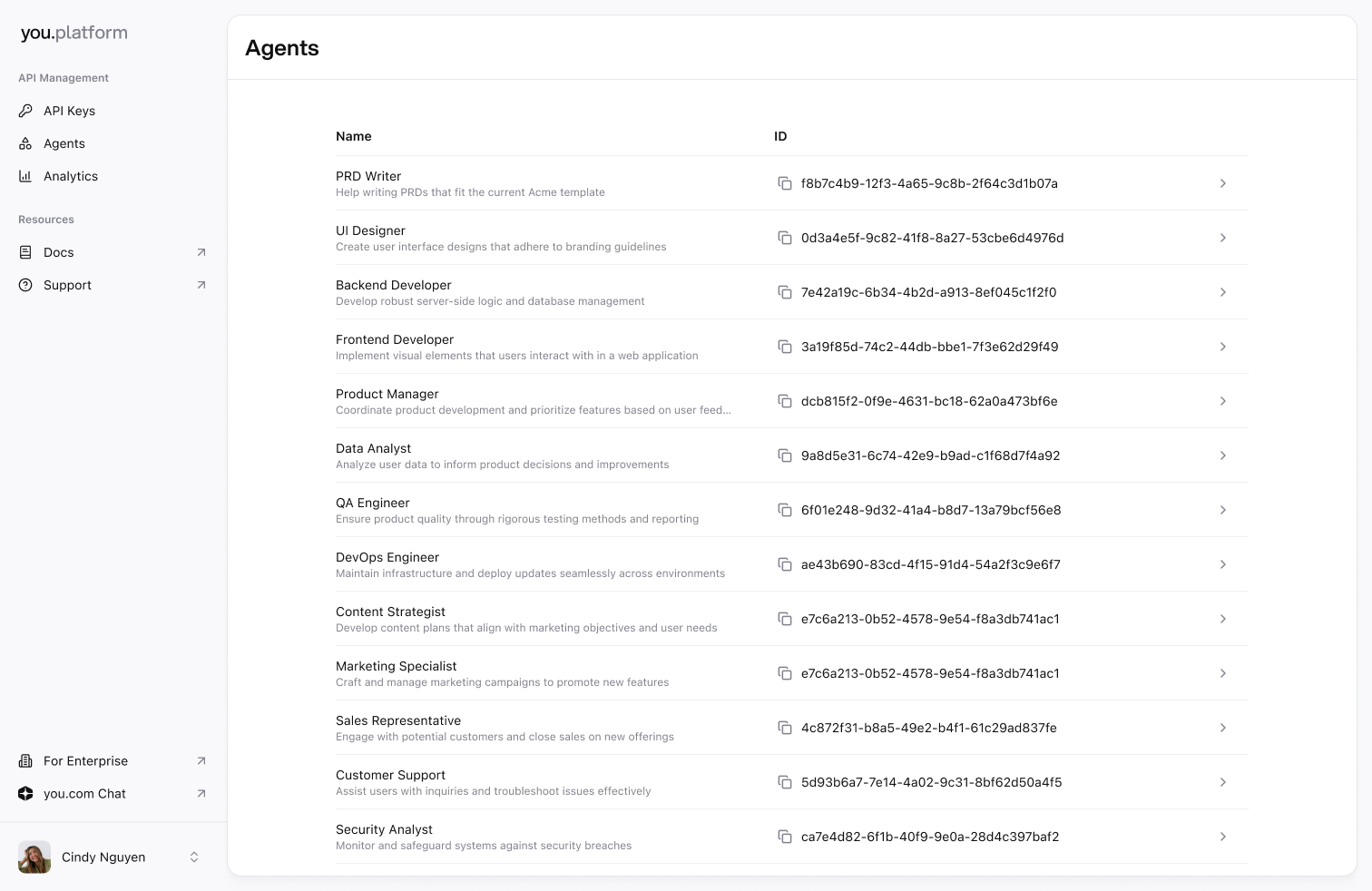 Paste the ID in the `agent` parameter [to call it via API](/api-reference/custom-agent#body-agent).