Welcome to the Quickstart Guide for integrating comprehensive, high-quality answers with precise and reliable citations using our APIs. This guide will walk you through the initial setup and provide you with sample code to perform your first search.

Get Your API Key

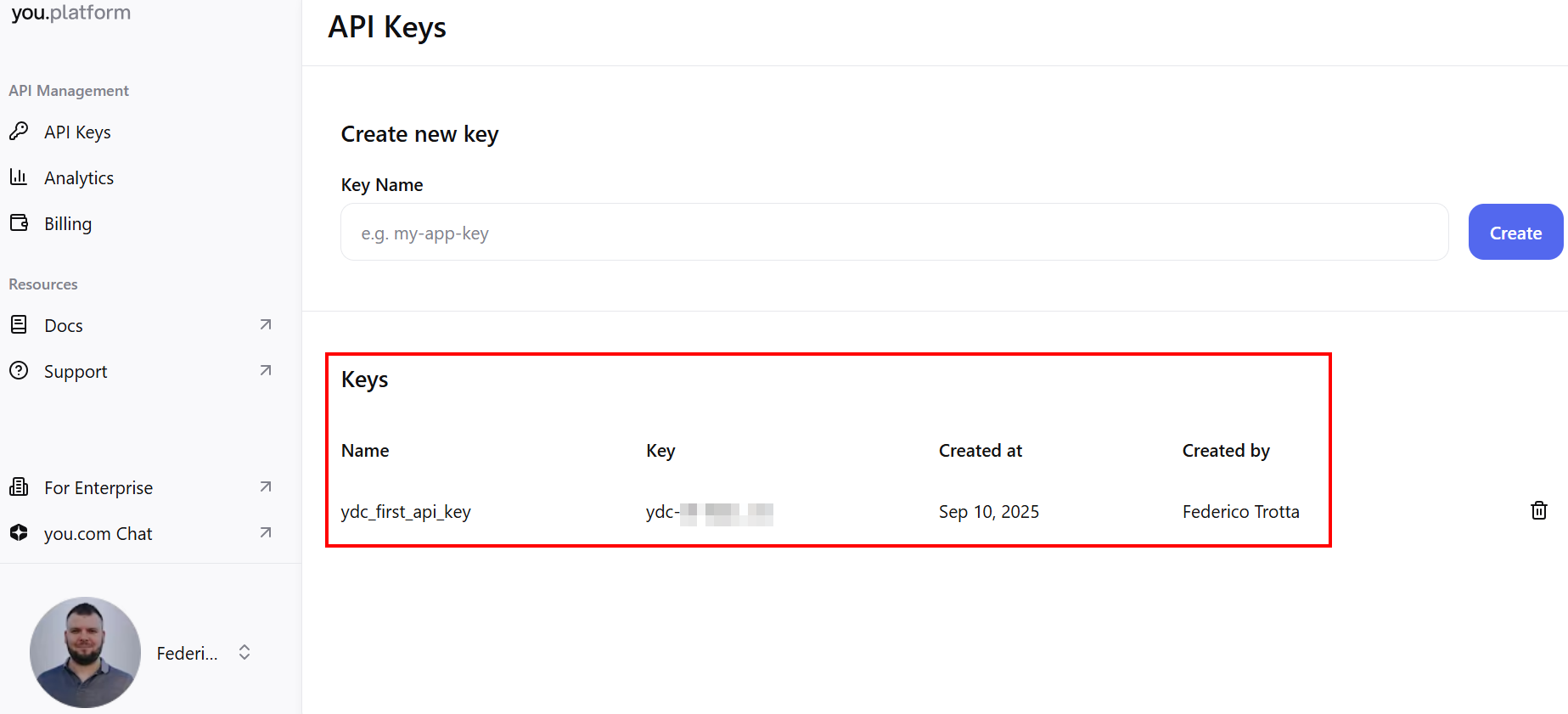
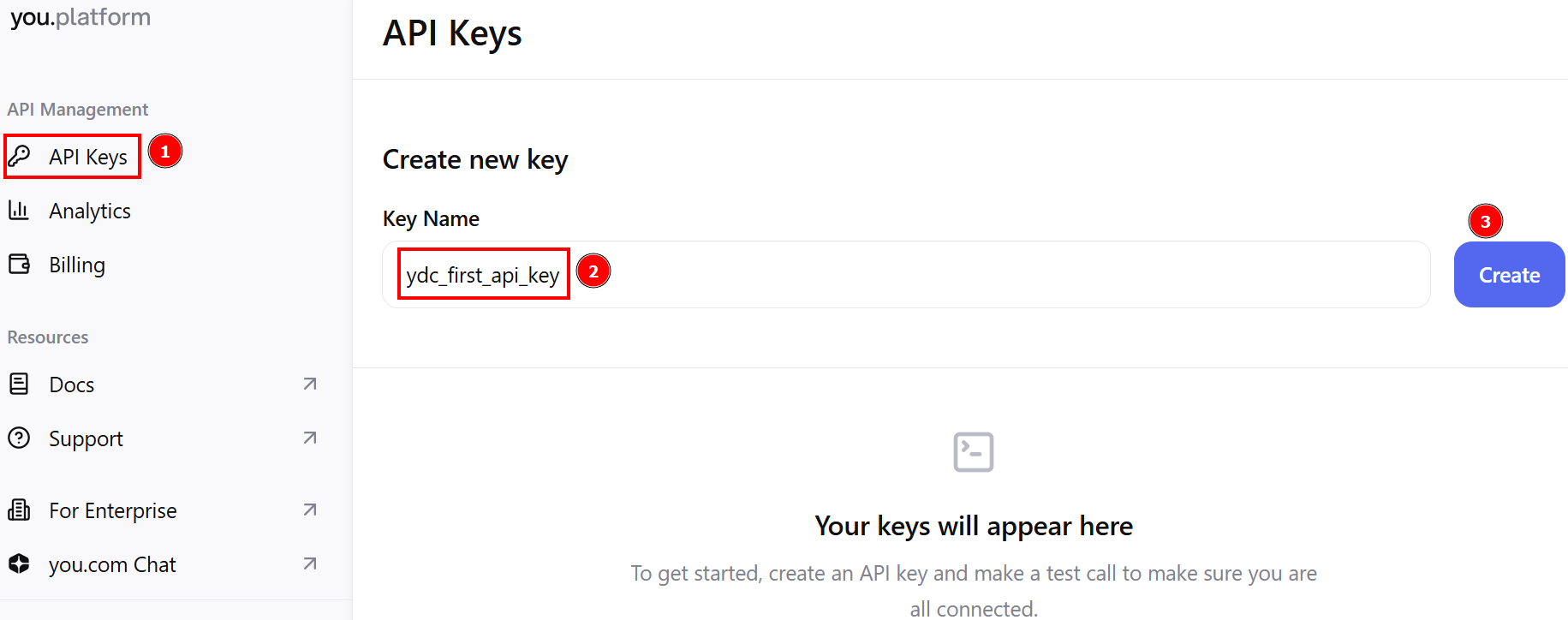
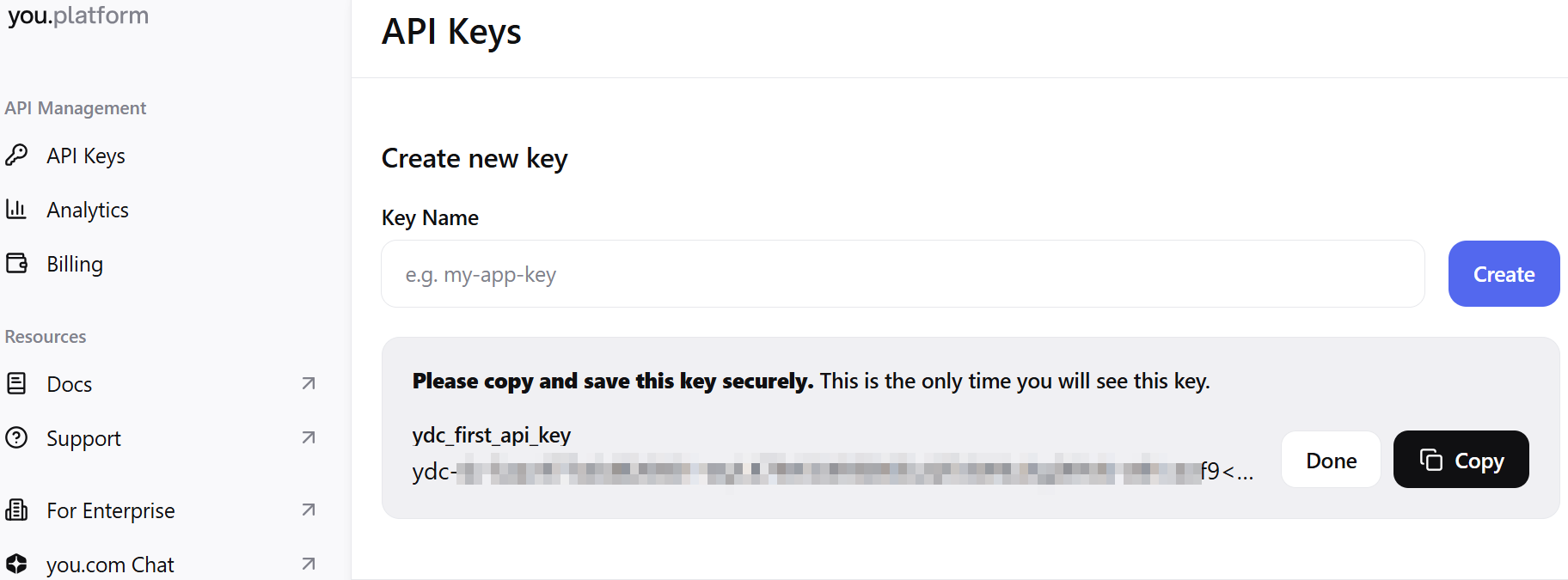
Go to https://you.com/platform. Log in or sign up, and you will automatically receive $100 of free API credits for usage. To create a new API key, go to the API Keys section, give a name to your API key, and create it: Creating a new API key in you.com Copy your API key somewhere safe and click on Done to complete the process: Completing the API key creation in you.com The platform will automatically create a new section where all your API keys are stored: Creating a new API key in you.com
Make Your First API Call

Integrate the endpoints into your applications, and get answers from our APIs. Replace YOUR_API_KEY in the code with your actual API key:
API Key
Make your first API call with our Search API:
The Search API is designed to return LLM-ready web results based on a user’s query. Imagine you want to feed an LLM with the results that come from a research like “What is the capital of the USA?”. To do so, write the following:
The result you will obtain is the following:
Hooray! You made your first API call with one of our top-notch APIs in a matter of seconds. To learn more about our APIs and how to use them, read the API reference section and the Developer Resources.